I click the collection tab and it takes about 10 seconds to load. I’m on an AMD RYZEN 7 5700X3D. Also its worse than usual at the moment sometimes images don’t load or half load. Probably not my CPU or my GPU (RTX 5070 Ti) either. I feel like it’s possibly a caching issue in Chrome.
For, me it’s fast as usual. You can check your network tab and disable cache to see if something is slow to load maybe. See:
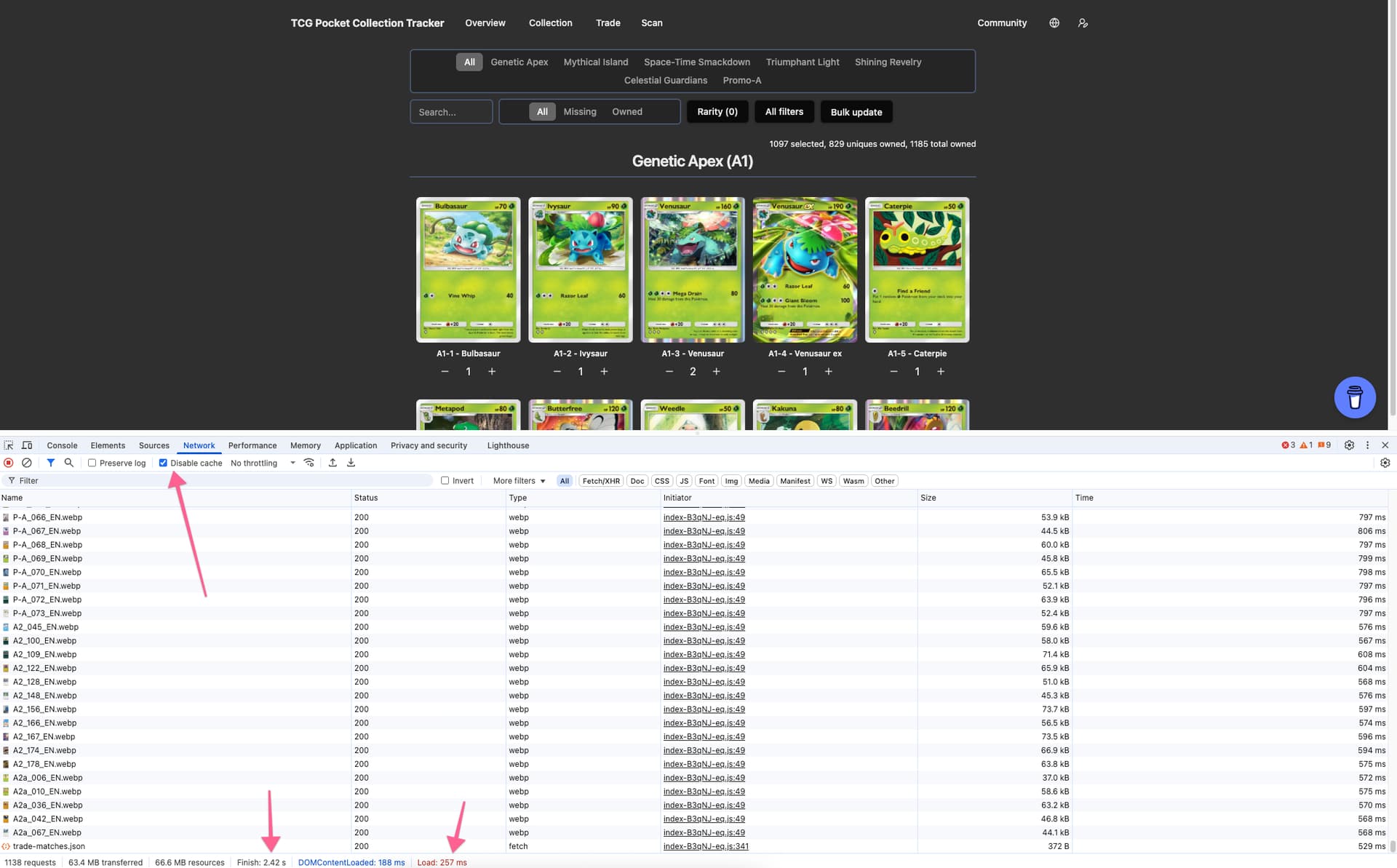
Tried disabling cache and it’s still taking a while to load.
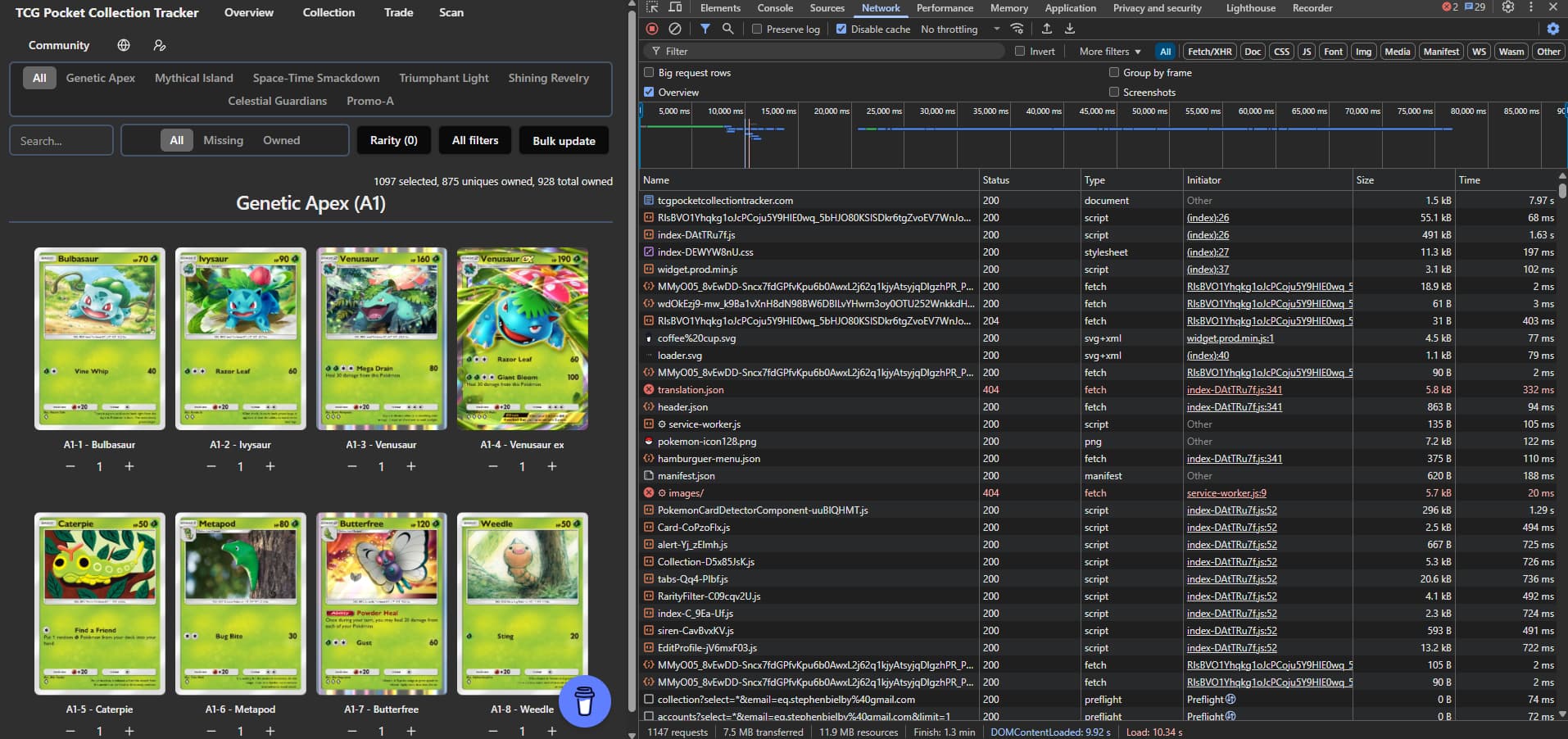
I’ve tried your suggestion in Chrome and Edge browsers, both have the same problem and I’m not sure why. I’ve tried clearing cache, turning off ad blocking, turning off VPN and nothing changes this behaviour. I’m on 900 Mbps Down and 500 Mbps UP Fiber Internet.
My Spec is:
RYZEN 7 5700X3D
B550 GAMING X V2 Rev 1.3
16GB MSI RTX 5070 Ti VENTUS 3X OC
32GB RAM
2TB MSI SPATIUM M461 M.2 ← Drive is half full
COUGAR DUOFACE PRO RGB CASE
See how your very first request takes 7 seconds and it is only 1.5kb. That means the DNS handshake is very slow to set up the SSL connection.
There is probably something wrong with the DNS you are using. I recommend trying the CloudFlare DNS 1.1.1.1. See: https://one.one.one.one/
Tested with router set to 1.1.1.1 DNS-Cloudflare and 8.8.8.8 DNS-Google via WiFi Router of which is less than 2 years old.
No change.
I also thought that It was slow to load.
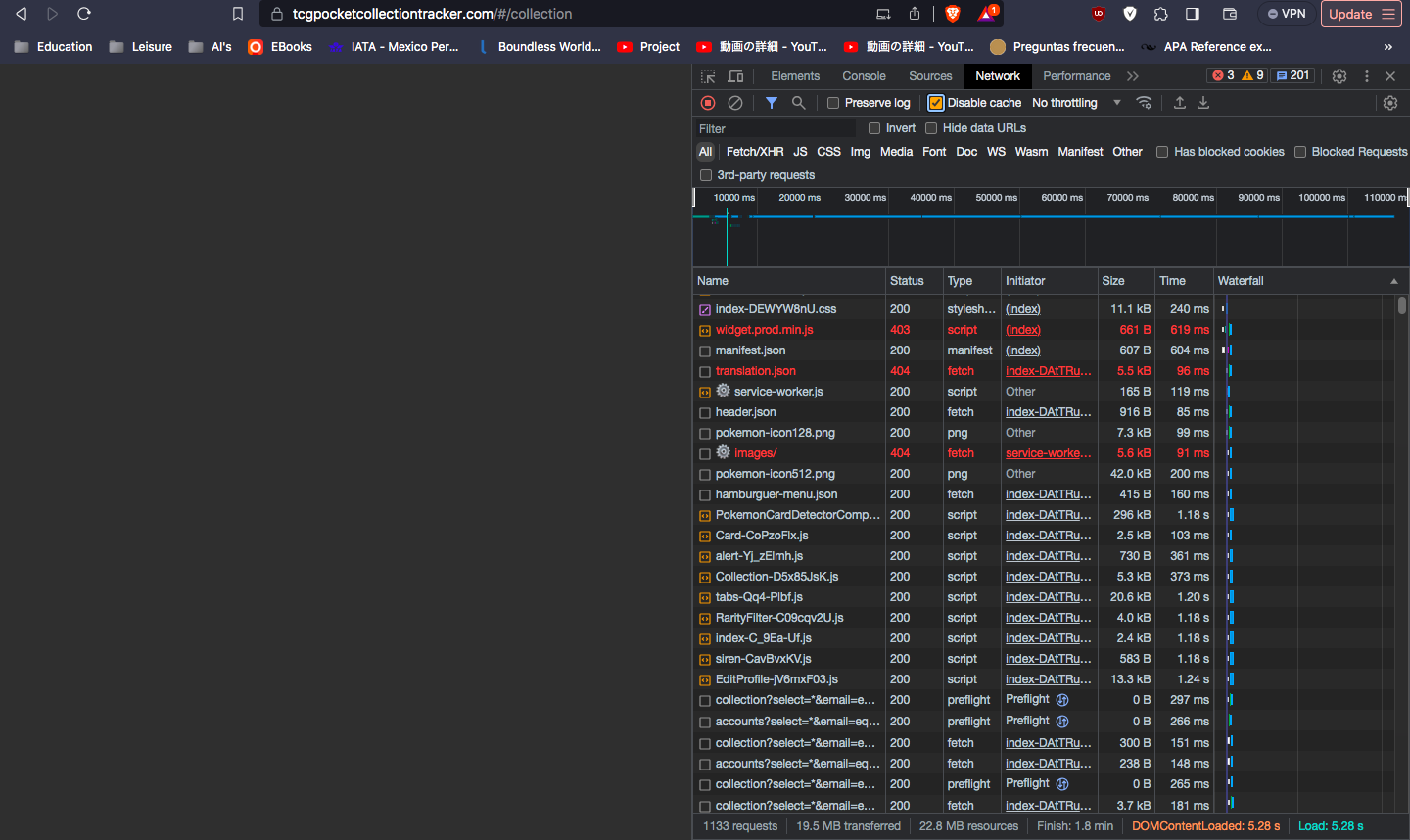
Here is my screenshot.
Without DNS 1.1.1.1
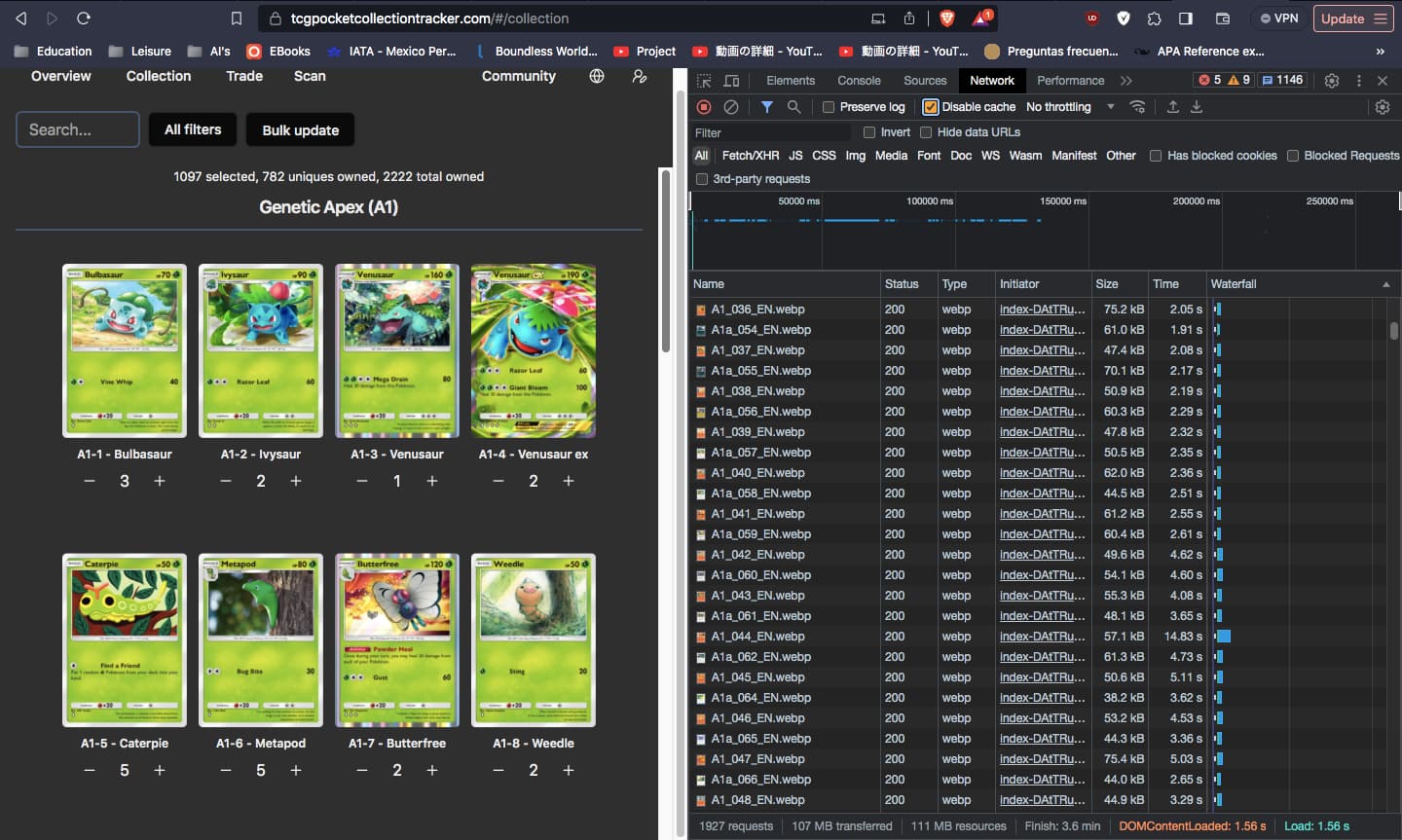
With DNS 1.1.1.1
Perhaps implementing some sort of loading bar somewhere could be helpful for some people that do not know how to use the F12 to see the progress?
This is a great web app but I don’t think its isolated to just the PC… My Google Pixel 8a has this same issue. The load times are longer than usual. I feel like something happened in mid April and we got degraded performance. I hate that I’m bringing this to the devs attention because I don’t like to complain when people are doing great work however the main problem I have here is I have to switch between Collection and Overview screens in order to see which pack to prioritise.
Either the dev could fix this issue or add a small bar at the top of the Collection screen with some text saying which pack to prioritise, that would be appreciated. Hopefully this goes with his vision of greatness, my suggestion is in the image below and might be a quicker addition than troubleshooting the original problem which may take more time.
Also apologies for referring to them as simply “the dev”, I hope they know I recognise their wizardry here and I thank them for it 
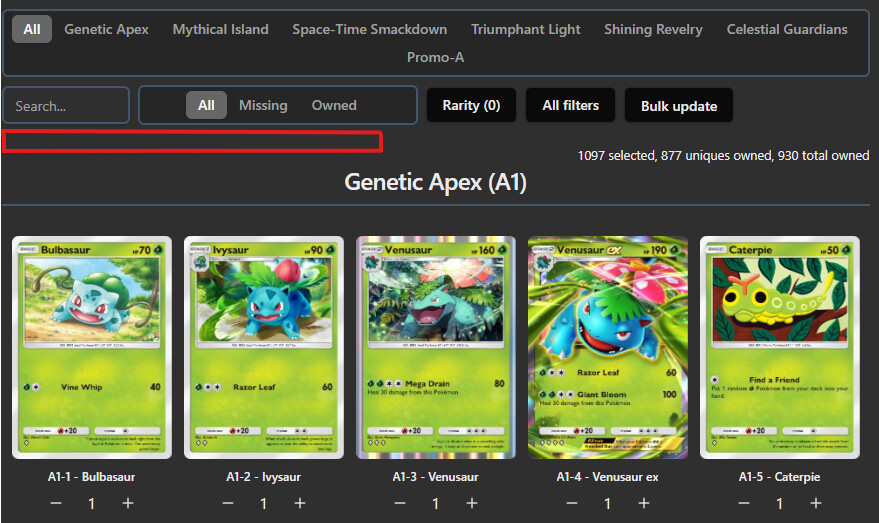
That is actually a great suggestion, one of the only reasons we switch to Overview is just to see which pack to open next with the most probabilities of getting a new card.
Therefore just adding that info to the Collection page, would save us a lot of loading times.
But actually just right click open in a new tab solves this issue entirely too xD.
@Bielbo
I made a ticket on github to do some performance optimalizations. There is some room for improvement of the cards loading and some other files we load though.
Although in your case, that won’t help with that very first page load of 1.5kb that takes 7 seconds. That is a tiny HTML file that is stored on Github Pages with worldwide CDN coverage. It literally can’t get faster than that.
1 Like
I don’t know what you guys did but everything is working perfectly now, faster and more responsive too. No lagging on the Collection screen anymore, you have my thanks
1 Like
We didn’t change anything regarding performance. I’m still pretty confident it was something with your internet provider/connection.
1 Like
Yeah, before I had issues. It is faster now
Unfortunately I’m still experiencing this. Cards are loading in very slow batches (around 10s between batches). I’m not quite as technically savvy with networks so not sure what information is relevant here. I’ve been having this issue since around the origin of this thread, haven’t been able to use the site since. Just hoped I’d wait and it would get fixed.
Steps I’ve taken:
- Cleared cache
- I’ve tested on multiple browsers (Edge, Chrome, Firefox (my default)
- Disabled ad-blockers
Of course I see now that it might be DNS, but I’m not sure what steps would be taken to fix that (or why it started doing this after months of use).
Any advice would be appreciated. Love the site and would just like to be able to use it again!
What if you are on your mobile phone without wifi connected, does it work normally?
Seems to be that on WiFi this problem is worse.
My WiFi has 900mbps download speed with 500mbps upload speed. Upto 10 seconds lag time.
My phone Internet is 5G connection at around 150mbps iirc. Maybe 1 second lag time.
How does that make sense?
I’ve seen this before. The problem is with your cable provider at home. Your phone mobile network uses a different provider, but if you use your wifi it uses your home cable provider. Something must be misconfigured at their end. You should call them, explain it, and they can run some tests and usually fix it problem fairly easily.
You can also run some ping tests on these domains:
For me these response times are around 10ms without exceptions, If you see high ping times or randomly low/high times, you can show that to them as well.